
Imgberry
Free online image tools that run in your browser with no uploads, accounts, or watermarks
0 followers · 0 upvotes · DR 0 no change since last check
Browser-based image tools for compressing, resizing, converting formats, removing backgrounds and editing photos. All processing happens on your device with no
About Imgberry
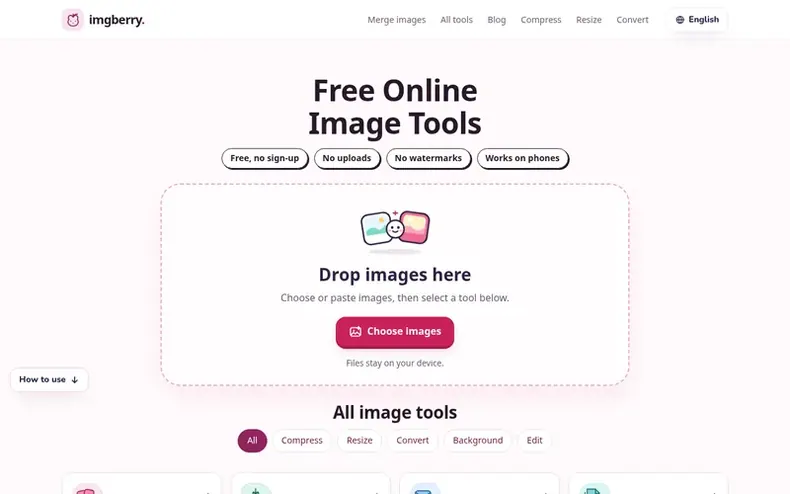
Imgberry is a collection of free image tools built around one core principle: files never leave your computer to be processed. All tools run entirely in your browser, processing images directly on your device without uploading to any server. The platform offers compression, resizing for social media platforms, format conversion, background removal and color inversion across 21 tools.
There is no account required, no daily usage limit, and no watermark on output files. Users can process images individually or in batches depending on the tool, with results downloaded directly from their device. The tools support common formats including JPEG, PNG, WebP, HEIC, and SVG.
- #imageresizing
- #browser-based
- #formatconversion
- #backgroundremoval
- #imagecompression
- #privacy-focused
- #freetools
In the toolkit
- Compress images to target file size in KB
- Resize images for social media platforms
- Convert between image formats including HEIC, WebP, PNG, JPG, SVG
- Remove backgrounds and create transparent PNGs
- Invert image colors
- All processing runs in your browser
- No account or login required
- No watermarks on output files
Pricing
Pricing model: Free
Community Q&A
QAre my images uploaded to a server?
From the profile No. Imgberry processes images in your browser and saves results directly to your device. Some tools download code or model files to run locally, but those downloads do not contain your images.
QIs Imgberry really free?
From the profile Yes. All 22 tools are free to use without an account or a daily usage cap, though individual tools may have file-size or batch limits.
QCan I process more than one image at a time?
From the profile Some tools accept multiple files while others process one image at a time. Check each tool's file picker and instructions for supported formats and limits.
QDoes it work on a phone?
From the profile Yes. Open a tool in your mobile browser and tap its file picker. Large images and background removal may take longer on phones with less memory.
QCan I use Imgberry commercially?
From the profile Yes. Use Imgberry for client work, product photos, documents, and anything else. Output is not watermarked and no attribution is required.
Imgberry has a free listing. The owner can unlock the full profile with a paid launch for $5:
- Founder story (locked)
- Milestones (locked)
- Demo video (locked)
- Dofollow website link: not on this free listing (its website link is nofollow)
Similar companies
- freeimageFree AI image generator with no sign-up, no watermark, and full-size downloads
