
IceShore
Configuration-management platform for AI-assisted development with architecture diagrams and business context
0 followers · 0 upvotes · DR 21 no change since last check
MCP-compatible platform where AI reads infrastructure code, builds system architecture diagrams, records business use cases, and answers system maintenance
About IceShore
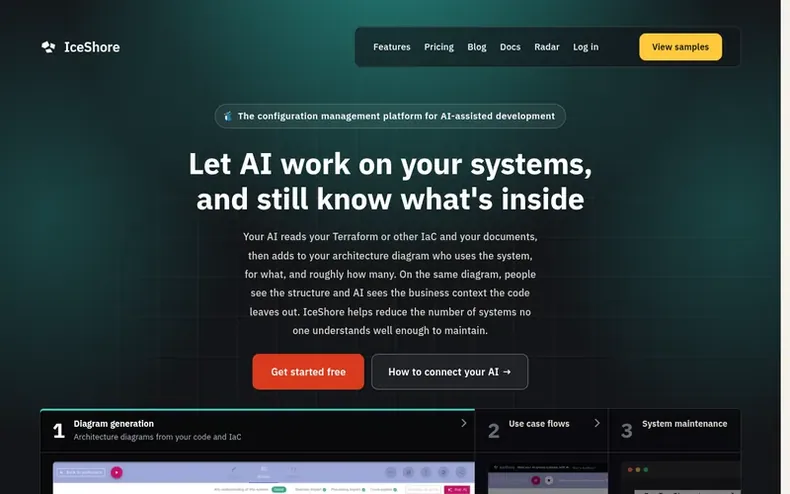
IceShore is a configuration-management platform designed for AI-assisted development. It reads Terraform and other infrastructure-as-code, automatically generates architecture diagrams, and records use cases showing who uses each system component for which business process.
The platform helps teams overcome three key challenges: drawing accurate architecture diagrams as systems grow, following use case flows, and maintaining systems with AI while keeping business impact in view. It prevents AI from providing maintenance answers that ignore dependencies and business impact by giving the AI access to documented use cases alongside code.
Data handling prioritizes security and transparency. Credentials are masked before storage, connections use OAuth 2.1, and the company never sends code to generative AI services. All architecture data is stored in a public, readable format (ADL) under Apache-2.0 license on GitHub.
- #ai-assistant
- #mcpcompatible
- #use-case-mapping
- #infrastructure-as-code
- #systemmaintenance
- #architecturediagrams
In the toolkit
- Automatic architecture diagram generation from Terraform and infrastructure code
- Use case flow visualization with numbered processing steps
- Business impact analysis for system changes
- MCP server integration with AI clients
- Automatic credential masking in configuration files
- Change history with version-by-version diffs
- Traffic volume tracking per system resource
- Architecture export in public ADL format
- Member management with guest access controls
- Audit log export with approval dates and access history
Pricing
Pricing model: Freemium
Free: $0 for one person with unlimited architectures, change history, and up to 3 guest viewers. Team: $19 per seat per month (excluding tax; 3,000 JPY / 3,300 JPY incl. tax in Japan) with member invitations and guest commenters. Business: $39 per seat per month (excluding tax; 6,000 JPY / 6,600 JPY
Community Q&A
QIs my code sent to an AI?
From the profile No. IceShore never sends your content to a generative AI. Drafting and answering both happen on the AI you already use. IceShore acts as an MCP server, returning architecture information when your AI asks for it.
QWhat if a config file contains credentials?
From the profile Credentials are detected and masked before anything is stored. Access keys, JWTs, private keys, connection strings and password or token values are covered on both the in-app save path and the MCP save path. Every detection is recorded.
QWhere is my data stored?
From the profile Data is stored in the AWS Tokyo region (ap-northeast-1). Stripe processes payments and the company never holds card data.
QWho writes the use cases?
From the profile Your AI does. It reads the code, configuration files and documents on your machine, organizes the use cases and once you confirm, registers them with IceShore. Anything the code doesn't say comes from your documents or from you.
QCan I verify what the AI wrote?
From the profile Yes. In the History tab of your own architecture, each saved file opens version by version, down to the diff against the previous one. Every version records whether it was written by the AI over MCP or edited by a person.
IceShore has a free listing. The owner can unlock the full profile with a paid launch for $5:
- Founder story (locked)
- Milestones (locked)
- Demo video (locked)
- Dofollow website link: not on this free listing (its website link is nofollow)