
GuestDrop
QR code photo sharing for events with no app or signup required
0 followers · 0 upvotes · DR 28 no change since last check
Collect event photos from guests by scanning a QR code. Guests upload without an app or signup, galleries stay open free for 7 days, and you can extend access
About GuestDrop
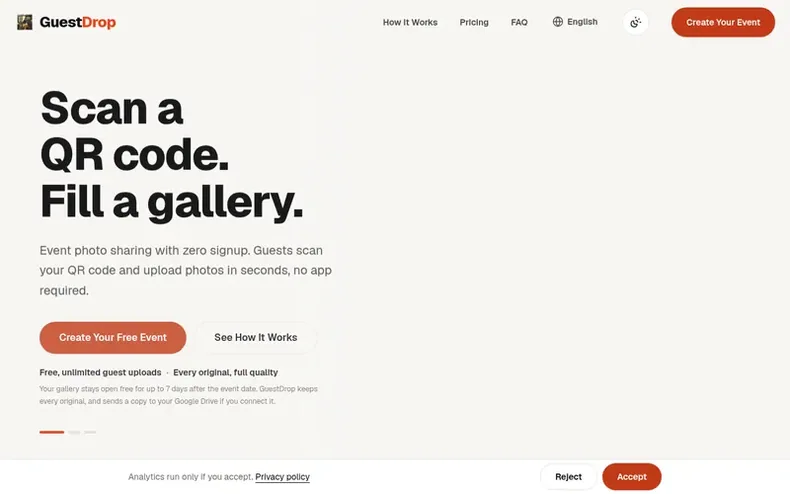
GuestDrop is a photo-sharing platform for events like weddings, birthdays, and corporate gatherings. Guests scan a branded QR code with their phone camera and upload photos and videos directly in their browser, with no app download, account creation, or signup required. All uploads are stored at full quality in a live gallery that hosts can view, moderate, and share. If you connect Google Drive, a copy of every photo is automatically saved to your own Drive account. The hosted gallery stays open free for 7 days after your event date. After the free window closes, you have 30 days to download everything as a ZIP file or complete your Drive backup. Gallery extensions are available as one-time purchases to keep the hosted gallery open longer.
- #wedding
- #free
- #events
- #photo-sharing
- #qr-code
- #galleries
- #nosignup
In the toolkit
- QR code generation and customization
- No app download required for guests
- No signup or login for guests
- Google Drive integration
- Live gallery with real-time updates
- Photo moderation
- Live slideshow for TV or projector
- Unlimited guest uploads
- ZIP download of all photos
Pricing
Pricing model: Freemium
Free for all events with unlimited guest uploads and 7-day gallery access. Extensions: $14.99 USD for 30 days or $24.99 USD for 1 year (one-time payment per event, charged in local currency at checkout).
Community Q&A
QDo guests need to download an app?
From the profile No. Guests simply scan the QR code with their phone camera, which opens a mobile-friendly upload page in the browser. No app download, signup, or account creation is required.
QWhere are photos stored?
From the profile GuestDrop stores every original at full quality. If you connect Google Drive, each photo and video is copied into a folder in your own Drive account. After the free 7-day gallery window closes, you have 30 days to download everything as a ZIP, then GuestDrop deletes its originals. Your Drive copy stays in your account permanently.
QIs there a limit on guest uploads?
From the profile No. Guests can upload as many photos and videos as they like, completely free. Event hosts can optionally set a per-guest limit if they choose to.
QHow long do I have access to the photos?
From the profile The hosted gallery and guest uploads stay open free for 7 days after your event. After it closes, you get 30 days to download every original as a ZIP. If you connected Google Drive, your copy stays in Drive permanently. After 30 days, GuestDrop deletes its originals.
QCan I use this for a corporate event?
From the profile Yes. GuestDrop works for conferences, team offsites, product launches, and any professional gathering. The branded QR code keeps everything on-brand.
GuestDrop has a free listing. The owner can unlock the full profile with a paid launch for $5:
- Founder story (locked)
- Milestones (locked)
- Demo video (locked)
- Dofollow website link: not on this free listing (its website link is nofollow)