
EasyMail Pro
Gmail, Outlook and any IMAP account in one private desktop app with Split Inbox, built-in MCP server and AI on your own key
0 followers · 0 upvotes · DR 0 no change since last check
About EasyMail Pro
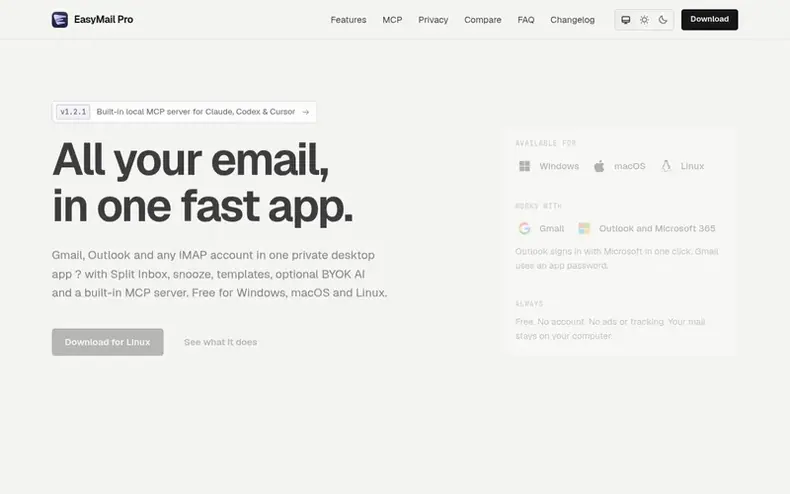
EasyMail Pro is a free desktop application that consolidates Gmail, Outlook and any IMAP-compatible email account into a single interface. It runs entirely on your computer with no server component, keeping all email and credentials local and encrypted. The app includes features like Split Inbox for automatic email sorting, snooze, scheduled send, undo send, search that works offline, and rich-text compose with templates.
The application integrates optional AI capabilities through a bring-your-own-key model, supporting Anthropic, OpenRouter, OpenAI-compatible endpoints, or local models. It includes a built-in Model Context Protocol server that allows Claude, Codex and Cursor direct access to your mailbox with read-only permissions by default. EasyMail Pro is available for Windows 10/11, macOS 11 or later, and Linux with no ads, no tracking and no telemetry.
- #aiintegration
- #imapsupport
- #privacy
- #emailclient
- #mcp-server
- #freesoftware
- #desktopapp
In the toolkit
- Split Inbox with Primary, Shopping and Marketing categories
- Undo send with configurable delay
- Rich-text compose with bold, italic, underline, lists and links
- Reusable reply templates
- AI-powered drafting, summaries and translations
- Phishing warnings and malware detection
- Follow-up reminders for unanswered emails
Pricing
Pricing model: Free
Free to download and use. If you turn on EasyMail AI, your AI provider bills you directly for what you use.
Community Q&A
QIs EasyMail Pro free?
From the profile Yes, the app is free to download and use. If you enable EasyMail AI, your AI provider bills you directly for what you use.
QWhich email accounts work?
From the profile Outlook.com, Hotmail and Microsoft 365 sign in with Microsoft in one click. Gmail, iCloud, Yahoo and any provider with IMAP and SMTP connect with an app password, and the app shows you where to make one.
QWhere is my email stored?
From the profile On your computer in the app's data folder. Passwords and AI keys are encrypted. EasyMail Pro does not run a server for the app, so nothing is stored with them.
QHow do I install it on Linux?
From the profile Use the .deb on Ubuntu, Debian or Linux Mint and the .rpm on Fedora or openSUSE via your software centre. The AppImage runs on most other distributions: make it executable and start it. EasyMail Pro keeps password keys in GNOME Keyring or KWallet.
QDo I need an AI key?
From the profile No. Everything except EasyMail AI works without one, and AI stays off until you add a key. You can use Anthropic, OpenRouter, or any OpenAI-compatible endpoint, including a model running on your own computer.
EasyMail Pro has a free listing. The owner can unlock the full profile with a paid launch for $5:
- Founder story (locked)
- Milestones (locked)
- Demo video (locked)
- Dofollow website link: not on this free listing (its website link is nofollow)
Similar companies
- PostyardMail hosting for builders and AI agents
- MailbaseCommand-line tool for prospecting and email management built for coding agents and scripts
- QuickDMARCAutomated DMARC, SPF and DKIM email security platform