DiskCompanion
Free up space on your Mac safely with visual storage analysis and one-click cleaning
0 followers · 0 upvotes · DR 0 no change since last check
A native macOS disk cleaner that visualizes storage with Disk Explorer, clears System Data and caches, removes duplicate files, and uninstalls app leftovers—all
About DiskCompanion
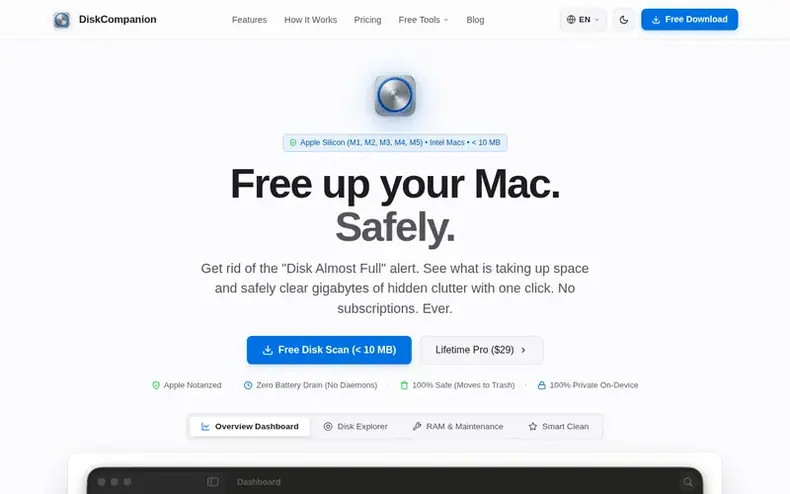
DiskCompanion is a native macOS disk cleaner and storage visualizer built entirely in Swift. It helps Mac users safely reclaim storage space by cleaning temporary caches, System Data, streaming video buffers, and leftover files from uninstalled apps, while protecting personal documents and photos.
The app features Disk Explorer, an interactive visual storage map that shows where gigabytes are being used. Users can identify hidden clutter and duplicate files at a glance. Every cleaned file moves directly to the macOS Trash, making all cleanups 100% reversible—if you change your mind, you can use Finder's "Put Back" command to restore files.
DiskCompanion operates with zero background helpers or battery drain, runs only when actively opened, and is officially notarized by Apple. The app is sold as a one-time $29 USD purchase covering up to 3 personal Macs, with all future v1.x maintenance updates included. Users can scan their entire drive and explore storage completely free before purchasing.
- #storageanalyzer
- #systemoptimization
- #filemanagement
- #maccleanup
- #duplicate-finder
- #diskcleaner
In the toolkit
- Interactive Disk Explorer visual storage map shows where storage is used in real-time
- One-click Smart Clean safely removes System Data caches and streaming video buffers
- Duplicate photo and document finder with preview before deletion
- Complete uninstalled app leftover remover for 26+ Mac applications
- Zero background helpers or battery drain when application is closed
- Scans entire APFS file system in under 15 seconds using less than 50 MB RAM
- Developer and creator cache tools for Xcode, Adobe, and Node.js projects
- Large and forgotten files scanner to identify and clean unnecessary files
Pricing
Pricing model: Paid
Free Evaluation: $0 (includes full disk scanning, Disk Explorer visual map, and duplicate detection preview). Lifetime Pro: $29 USD one-time for up to 3 personal Macs (includes one-click Smart Clean, complete uninstaller, and all future v1.x maintenance updates). 14-day money-back guarantee.
Community Q&A
QWill DiskCompanion delete my personal photos, documents, or desktop files?
From the profile No. DiskCompanion is permanently locked from touching your personal files. Documents, Desktop, Photos library, Music collection, and iCloud Drive are 100% safe. It only cleans temporary clutter like streaming video buffers, expired web caches, Xcode build files, and leftover files from deleted apps.
QWhat happens if I clean something by accident? Can I get it back?
From the profile Yes, instantly. Every cleaned file goes directly to your normal macOS Trash. You can open Trash in Finder, right-click the file, and choose "Put Back" to restore it to its original folder. Nothing is permanently erased until you manually empty your Mac Trash.
QWhat is System Data and why does it take up so much space?
From the profile macOS System Data contains temporary cache files, application support assets, developer build directories, and APFS local snapshots. In macOS Sonoma and Sequoia, System Data commonly accumulates between 40 GB and 120 GB due to abandoned Xcode derived data, iOS device backups, and streaming media caches from Spotify and browser engines. DiskCompanion can safely reclaim 10 GB to 40 GB of this storage in under 60 seconds.
QDoes DiskCompanion run in the background or drain my MacBook battery?
From the profile No. DiskCompanion operates with zero background helpers. It is engineered natively in Swift and only runs when you actively open it. When you quit the application, it completely unloads from memory and consumes 0% CPU. There are no hidden menu bar helpers, background telemetry agents, or battery drain.
QDo I have to pay a recurring subscription?
From the profile No. DiskCompanion is a one-time purchase of $29 USD for up to 3 personal Macs, with all future maintenance updates included. There are no monthly fees, annual renewals, or surprise charges. You can also scan your drive and explore storage completely free before purchasing.
DiskCompanion has a free listing. The owner can unlock the full profile with a paid launch for $5:
- Founder story (locked)
- Milestones (locked)
- Demo video (locked)
- Dofollow website link: not on this free listing (its website link is nofollow)