COISafe
COI tracking software for general contractors
0 followers · 0 upvotes · DR 14 no change since last check
Collects subcontractor insurance certificates, extracts policy details, checks coverage against job requirements, tracks deficiencies and renewals, and syncs
About COISafe
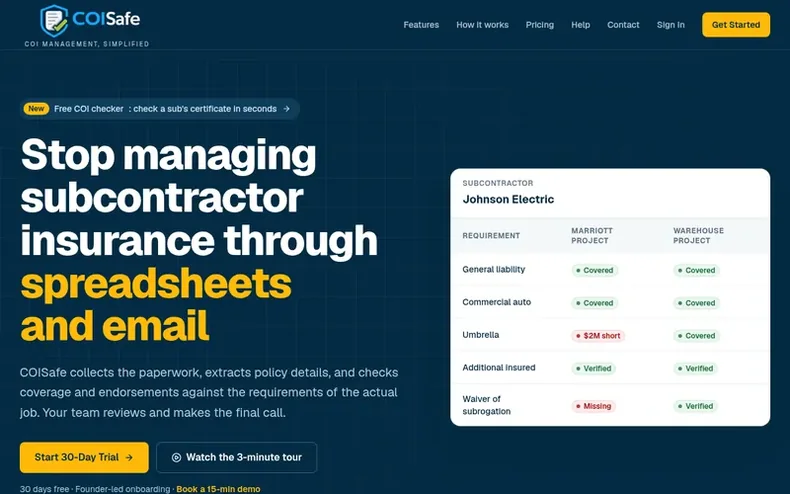
COISafe helps general contractors manage subcontractor insurance compliance. The platform collects certificates of insurance through secure upload links without requiring subcontractor accounts, uses AI to extract policy details from ACORD forms, and compares coverage against project-specific insurance requirements. Teams review and approve each certificate before it becomes the official record. The system tracks expiration dates, missing coverage, and deficiencies, sending automated reminders before policies lapse. Insurance status integrates with Procore vendor directories and QuickBooks Online bill holds, ensuring contractors know which vendors are compliant before payment.
- #insurancecompliance
- #documentmanagement
- #workflowautomation
- #compliancetracking
- #procoreintegration
- #construction-software
- #aiextraction
In the toolkit
- Secure document upload without subcontractor accounts
- AI-assisted policy extraction from ACORD forms
- Project-specific insurance requirements
- Automated expiration reminders
- Procore and QuickBooks Online integration
- Audit trail and compliance history
- Exception workflow and approval
Pricing
Pricing model: Free trial
Starter: $49/month (up to 25 subcontractors, 3 active projects). Growth: $149/month (up to 100 subcontractors, unlimited projects). Pro: $249/month (up to 250 subcontractors, unlimited projects). All plans include free 30-day trial.
Community Q&A
QDo subcontractors need a COISafe account?
From the profile No. Subcontractors receive a secure magic link and can upload documents without creating an account.
QDoes COISafe approve COIs automatically?
From the profile No. COISafe extracts and organizes policy data, but your team reviews and approves each document before it becomes the current policy on file.
QCan I set different requirements per project?
From the profile Yes. You can define requirement templates and apply them by project so reviews reflect the actual insurance standards for that scope of work.
QWhat does the AI actually extract?
From the profile COISafe pulls key ACORD fields like insured name, carrier information, policy numbers, expiration dates, limits, and endorsement indicators when present.
QDoes COISafe work with Procore or QuickBooks?
From the profile Yes, on every plan. Connect Procore to import vendors and keep insurance status current in your directory. Connect QuickBooks Online to flag bills from subs whose insurance is missing, expired, or below requirements.
COISafe has a free listing. The owner can unlock the full profile with a paid launch for $5:
- Founder story (locked)
- Milestones (locked)
- Demo video (locked)
- Dofollow website link: not on this free listing (its website link is nofollow)